Excel to database
Turn your Excel spreadsheets into a shared online database
Import the files your team emails around and get one live system with typed fields, linked tables, forms, permissions and automations. No code, no setup project.
Free for up to 20 members · No credit card needed
When a spreadsheet stops being enough
Excel and Google Sheets are great for one person working on numbers. They start to hurt when a whole team runs on them:
- Five versions of the same file, and nobody knows which one is current
- Someone types a date as text or deletes a formula, and the totals break quietly
- Everyone can see everything, including salaries and margins
- Customers, orders and products live in separate files that don't talk to each other
- Reminders and follow-ups depend on someone remembering to check the sheet
What changes when you move to Vinabase
One source of truth
Everyone works in the same live tables at the same time, without overwriting each other.
Fields with clear types
Dates are dates, money is money, people are people. Bad data can't slip in.
Tables that link together
Link an order to its customer and products instead of copying names between files, then pull in values with lookups and rollups.
Permissions
Decide who can see and edit each table, row and field.
History
Every cell keeps its change history, and an activity log shows who did what.
Automations
Send a reminder when a date arrives, notify a manager when a value changes, or ask for approval with one click.
How to turn an Excel file into a database
- Sign up for freeCreate a workspace in under a minute, no credit card needed.
- Import your fileUpload an Excel, CSV, JSON or XML file, or paste straight from a spreadsheet. Your first row becomes the column names, then you pick the right type for each column.
- Split it into tablesPut customers, orders and products in their own tables, and connect them with link fields.
- Add the views your team needsA Kanban board for stages, a calendar for dates, a form so people can add rows without touching the table.
- Invite your team and set permissionsGive each person the access they need, then retire the old file.
Keep the parts of Excel you like
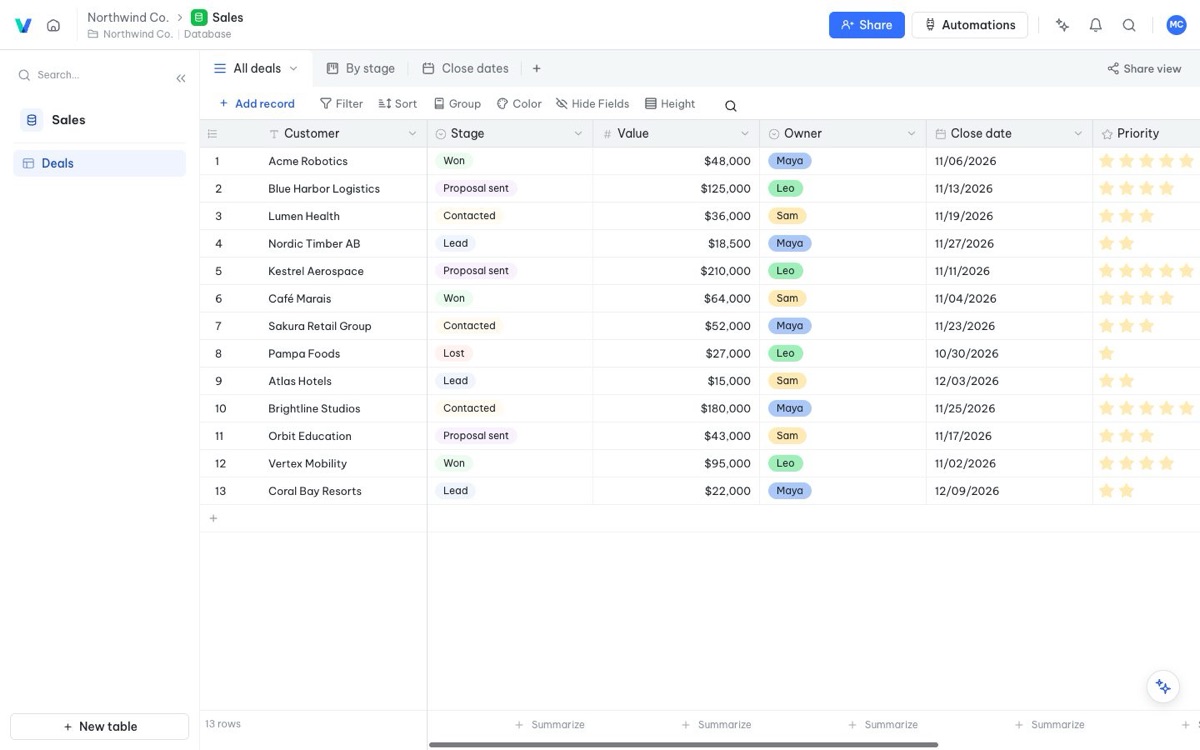
The grid view works like a spreadsheet: type, copy, paste, sort, filter and group. Formulas work on whole columns, so they never break when someone adds a row. And when you need a file again, export any table back to Excel or CSV in one click.
FAQ
Frequently asked questions
Which file types can I import?
Excel (.xlsx), CSV, JSON and XML. You can also paste rows straight from Excel or Google Sheets.
Will my formulas come across?
Values are imported, and you then add Vinabase formula fields, which work on the whole column. Most everyday formulas like sums, IF, dates and text functions have a direct equivalent.
How big a file can I import?
The free plan holds 5,000 rows and Pro holds 500,000 rows, so most business spreadsheets fit easily.
Do my colleagues need to learn something new?
Not much. The grid view feels like a spreadsheet, and forms and Kanban boards are easier than a sheet for people who only add or move records.
Can I export back to Excel?
Yes, any table or view can be exported to Excel, CSV or JSON at any time.
More ways teams use Vinabase